HzPay Indonesia Payment Platform - Merchant Guide
Checkout Page Configuration Instructions
INFO
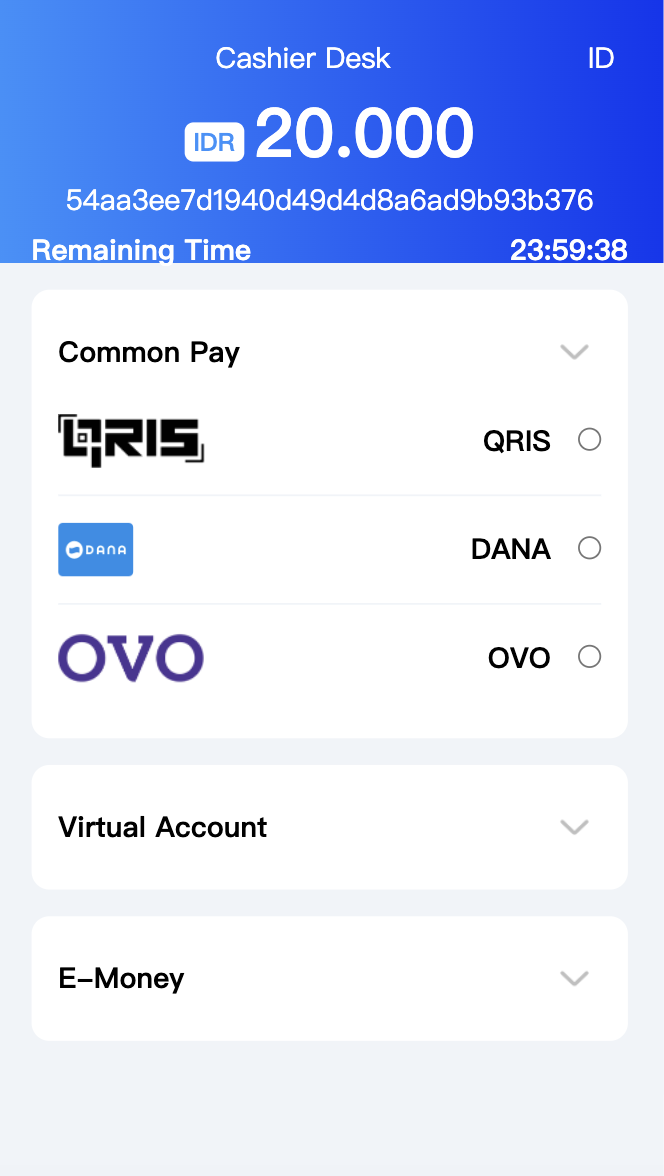
The appearance of the checkout page can be configured in the backend under [System Information]. There are two configuration sections: Common Payment Methods and Other Payment Methods. Common Payment Methods will be displayed first, while Other Payment Methods will be collapsed. If no Common Payment Methods are set, the first method from Other Payment Methods will be displayed by default.
DANGER
Note: Once a payment method is selected for display in the Common Payment Methods section, it should not be selected again in the Other Payment Methods section.
Setting Common Payment Methods
INFO
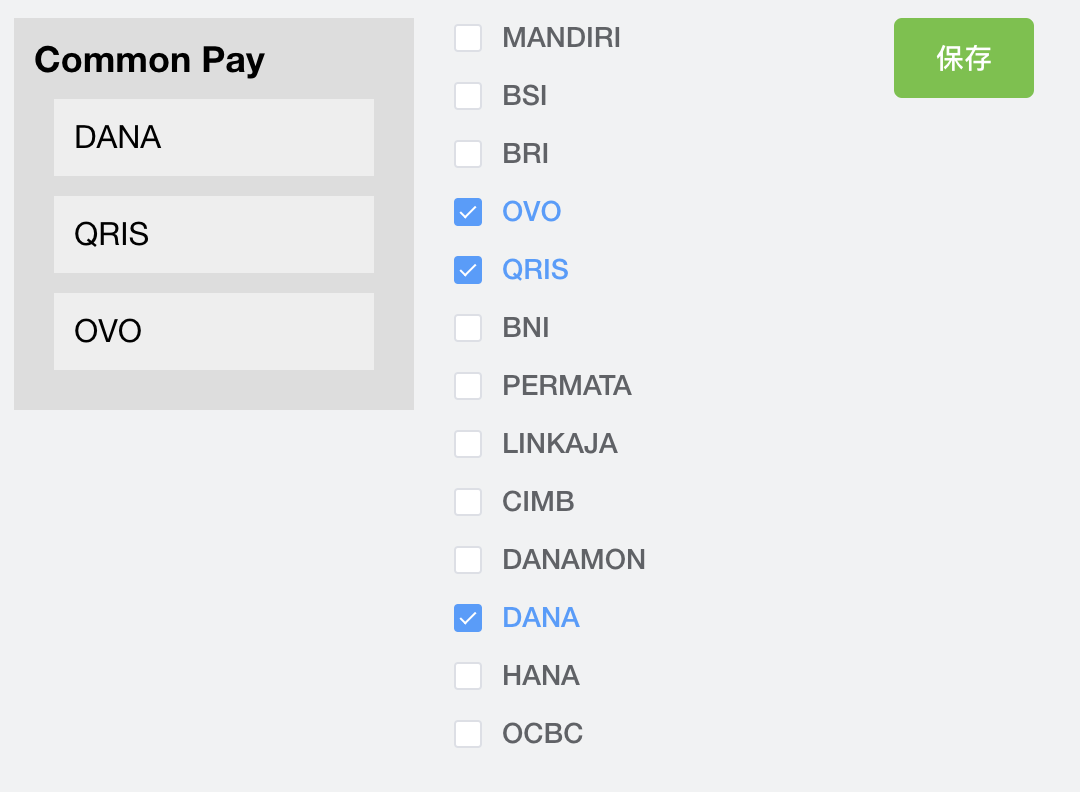
In [System Information] -> [Common Collection Payment], select the payment methods to display in the Common Payment Methods section, as shown on the left of Figure 1-1. You can drag to adjust the order of payment methods and save the settings when done.
Setting Other Collection Payment Methods
INFO
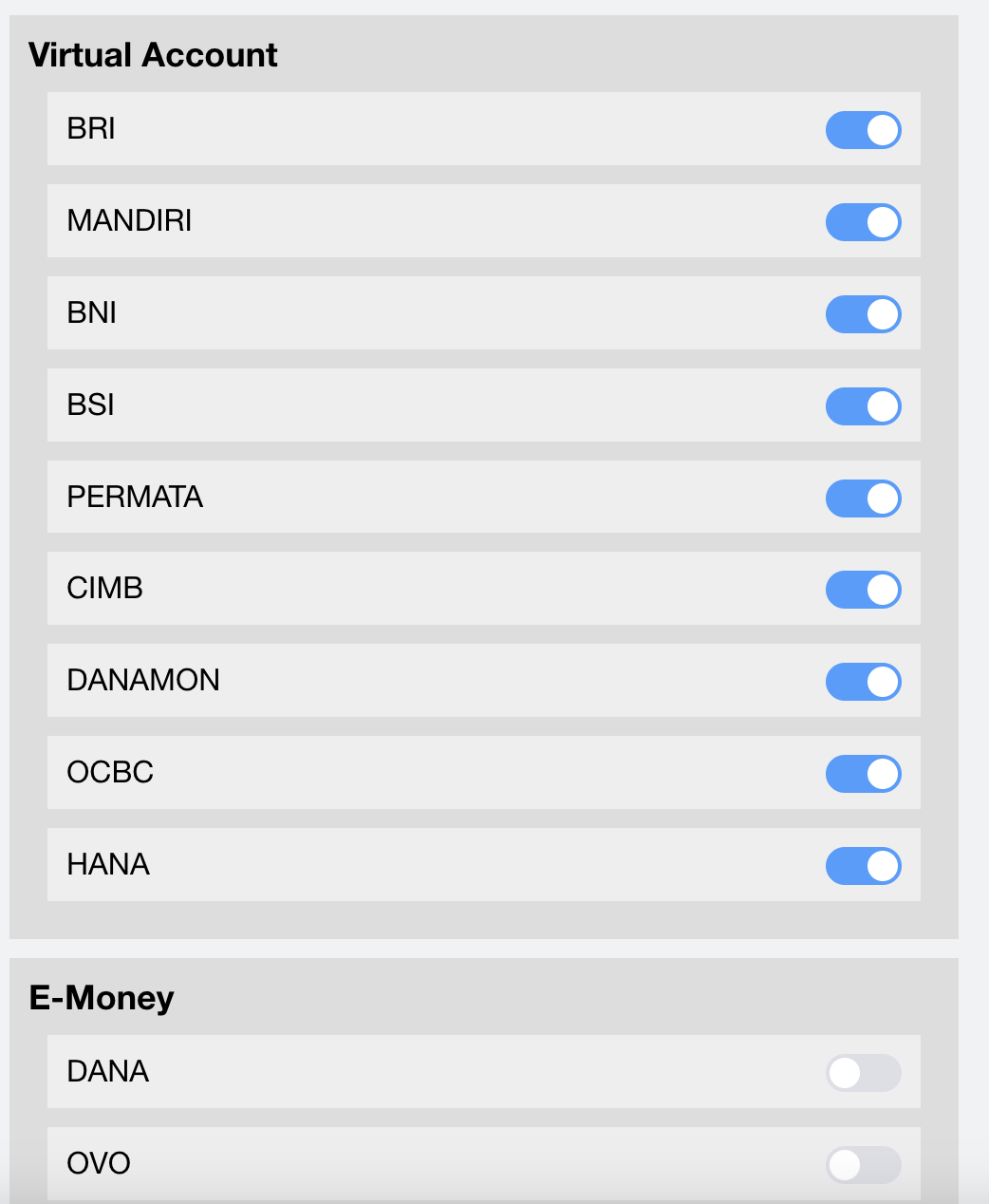
In [System Information] -> [Collection Payment Settings], you can enable the payment methods you want to use, as shown in Figure 1-2. Drag to adjust both the order of payment methods and payment types, then save the settings.
Example